Modifying Prompts
Although foundation models (FMs) are generally highly capable, their outputs can be greatly influenced by the prompts provided. In this lesson, you will discover techniques for modifying and refining prompts to achieve better results. By the end of this lesson, you will have a solid understanding of how to tweak and optimize prompts, unlocking the full potential of generative AI models.
Inference parameters

When interacting with FMs, you can often configure inference parameters to limit or influence the model response. The parameters available to you will vary based on the model that you are using. Inference parameters fit into a range of categories, with the most common being randomness and diversity and length.
Randomness and diversity
- Temperature
- Top P
- Top K
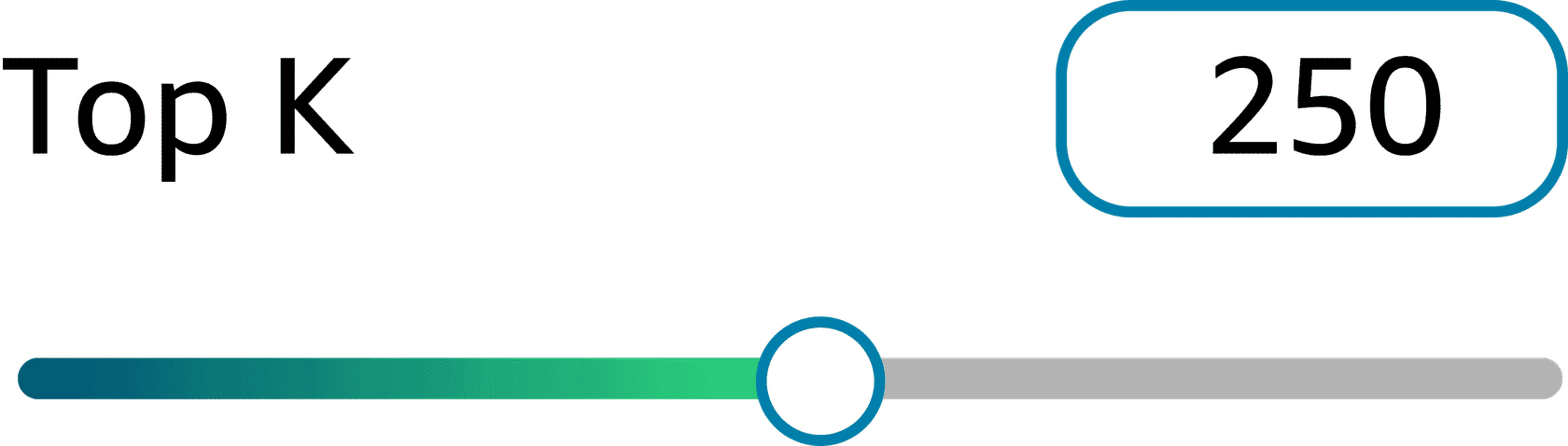
Top k limits the number of words to the top k most probable words, regardless of their percent probabilities. For instance, if top k is set to 50, the model will only consider the 50 most likely words for the next word in the sequence, even if those 50 words only make up a small portion of the total probability distribution.
| Low top k (for example, 10) | High top k (for example, 500) |
|---|---|
| With a low setting, like 10, the model will only consider the 10 most probable words for the next word in the sequence. This can help the output be more focused and coherent, because the model is limited to choosing from the most probable words given the context. | With a high top k setting, like 500, the model will consider the 500 most probable words for the next word in the sequence, regardless of their individual probabilities. This can lead to more diverse and creative output, because the model has a larger pool of potential words to choose from. |
Adjusting these inference parameters can significantly impact the model's output, so you can fine-tune the level of creativity, diversity, and coherence to suit your specific needs.
Length
Maximum length
The maximum length setting determines the maximum number of tokens that the model can generate during the inference process. This parameter helps to prevent the model from generating excessive or infinite output, which could lead to resource exhaustion or undesirable behavior. The appropriate value for this setting depends on the specific task and the desired output length. For instance, in natural language generation tasks like text summarization or translation, the maximum length can be set based on the typical length of the target text. In open-ended generation tasks, such as creative writing or dialogue systems, a higher maximum length might be desirable to allow for more extended outputs.
Stop sequences
Stop sequences are special tokens or sequences of tokens that signal the model to stop generating further output. When the model encounters a stop sequence during the inference process, it will terminate the generation regardless of the maximum length setting. Stop sequences are particularly useful in tasks where the desired output length is variable or difficult to predict in advance. For example, in conversational artificial intelligence (AI) systems, the stop sequence could be an end-of-conversation token or a specific phrase that indicates the end of the response.Stop sequences can be predefined or dynamically generated based on the input or the generated output itself. In some cases, multiple stop sequences can be specified, allowing the model to stop generation upon encountering any of the defined sequences.
It's important to note that both the maximum length and stop sequence settings should be carefully chosen based on the specific task and the desired output characteristics. Improper settings can lead to incomplete outputs, or conversely, to excessive and potentially nonsensical generations.
Best practices for prompting
Although inference parameters are important and clearly influence a model's output, they are mostly just settings that you can adjust as part of the prompting process. To craft an effective prompt, it's important to follow some best practices. The following are some useful tips for designing prompts.
Be clear and concise.
Prompts should be straightforward and avoid ambiguity. Clear prompts lead to more coherent responses. Craft prompts with natural, flowing language and coherent sentence structure. Avoid isolated keywords and phrases.
Bad prompt
| Compute the sum total of the subsequent sequence of numerals: 4, 8, 12, 16. |
|---|
Good prompt
| What is the sum of these numbers: 4, 8, 12, 16? |
|---|
Include context if needed.
Provide any additional context that would help the model respond accurately. For example, if you ask a model to analyze a business, include information about the type of business. What does the company do? This type of detail in the input provides more relevant output. The context that you provide can be common across multiple inputs or specific to each input.
Bad prompt
| Summarize this article: [insert article text] |
|---|
Good prompt
| Provide a summary of this article to be used in a blog post: [insert article text] |
|---|
Use directives for the appropriate response type.
If you want a particular output form, such as a summary, question, or poem, specify the response type directly. You can also limit responses by length, format, included information, excluded information, and more.
Bad prompt
| What is the capital? |
|---|
Good prompt
| What is the capital of New York? Provide the answer in a full sentence. |
|---|
Consider the output in the prompt.
Mention the requested output at the end of the prompt to keep the model focused on appropriate content.
Bad prompt
| Calculate the area of a circle. |
|---|
Good prompt
| Calculate the area of a circle with a radius of 3 inches (7.5 cm). Round your answer to the nearest integer. |
|---|
Start prompts with an interrogation.
Phrase your input as a question, beginning with words, such as who, what, where, when, why, and how.
Bad prompt
| Summarize this event. |
|---|
Good prompt
| Why did this event happen? Explain in three sentences. |
|---|
Provide an example response.
Use the expected output format as an example response in the prompt. Surround it in brackets to make it clear that it is an example.
Bad prompt
| Determine the sentiment of this social media post: [insert post] |
|---|
Good prompt
| Determine the sentiment of the following social media post using these examples:post: "great pen" => Positivepost: "I hate when my phone battery dies" => Negative[insert social media post] => |
|---|
Break up complex tasks.
Foundation models can get confused when asked to perform complex tasks. Break up complex tasks by using the following techniques:
- Divide the task into several subtasks. If you cannot get reliable results, try splitting the task into multiple prompts.Ask the model if it understood your instruction. Provide clarification based on the model's response.If you don’t know how to break the task into subtasks, ask the model to think step by step. You will learn more about this type of prompt technique later on in this course. This method might not work for all models, but you can try to rephrase the instructions in a way that makes sense for the task. For example, you might request that the model divides the task into subtasks, approaches the problem systematically, or reasons through the problem one step at a time.
Experiment and be creative.
Try different prompts to optimize the model's responses. Determine which prompts achieve effective results and which prompts achieve inaccurate results. Adjust your prompts accordingly. Novel and thought-provoking prompts can lead to innovative outcomes.
Use prompt templates.
Prompt templates are predefined structures or formats that can be used to provide consistent inputs to FMs. They help ensure that the prompts are phrased in a way that is easily understood by the model and can lead to more reliable and higher-quality outputs. Prompt templates often include instructions, context, examples, and placeholders for information relevant to the task at hand.
Prompt templates can help streamline the process of interacting with models, making it easier to integrate them into various applications and workflows.
By following best practices and structuring prompts carefully, you can effectively unlock a model's full potential.
Scenario
Given this new information, you can begin to modify the prompt from the scenario in the previous lessons.
Updated prompt
Parameters
Temperature: 0.9
Top p: 0.999
Maximum length: 5,000
Prompt
Generate a comprehensive market analysis report for a new product category in the finance industry for an audience of small and medium-sized businesses (SMBs). Structure the report with the following sections:
- Executive Summary
- Industry Overview
- Target Audience Analysis
- Competitive Landscape
- Product Opportunity and Recommendations
- Financial Projections
The tone should be professional and tailored to the target audience of SMBs.
- 1
- 2
This updated prompt incorporates the following parameter settings and best practices:
- Parameters – The updated prompt has the parameters for temperature and top p set high. This will encourage the model to produce a more creative output that might include some points that you wouldn't necessarily think of. The maximum length parameter is also set at 5,000.
- Include context – The updated prompt clarifies that the company is in the finance industry, which helps the model tailor the analysis accordingly.
- Use directives for the appropriate response type – The prompt breaks down the market analysis report into specific sections, making it easier for the model to structure the output.
By incorporating some of these best practices, the updated prompt provides more specific guidance to the generative model, increasing the likelihood of generating a high-quality, relevant, and well-structured market analysis report tailored to the finance industry.
In the next lesson, you will learn about some essential prompt engineering techniques.