Amazon Services and Tools for Responsible AI
As the leader in cloud technologies, AWS offers services like Amazon SageMaker AI and Amazon Bedrock that have built-in tools to help you with responsible AI. These tools cover topics such as foundation model evaluation, safeguards for generative AI, bias detection, model prediction explanations, monitoring and human reviews, and governance improvement.
Amazon SageMaker AI is a fully managed ML service. With SageMaker AI, data scientists and developers can quickly and confidently build, train, and deploy ML models into a production-ready hosted environment. It provides a UI experience for running ML workflows that makes SageMaker AI ML tools available across multiple integrated development environments (IDEs).
With SageMaker AI, you can store and share your data without having to build and manage your own servers. This gives you or your organization more time to collaboratively build and develop your ML workflow and do it sooner. SageMaker AI provides managed ML algorithms to run efficiently against extremely large data in a distributed environment. With built-in support for bring-your-own-algorithms and frameworks, SageMaker AI offers flexible distributed training options that adjust to your specific workflows. Within a few steps, you can deploy a model into a secure and scalable environment from the SageMaker AI console.

Reviewing Amazon service tools for responsible AI
Next, you will look at Amazon service tools that can help you with different areas of responsible AI. These areas include FM evaluation, safeguards for generative AI, bias detection, model prediction explanation, monitoring and human reviews, and governance improvement.
Foundation model evaluation
You should always evaluate a FM to determine if it will it is suited for your specific use case. To help you do this, Amazon offers model evaluation on Amazon Bedrock and Amazon SageMaker AI Clarify.
With Model evaluation on Amazon Bedrock, you can evaluate, compare, and select the best foundation model for your use case in just a few clicks. Amazon Bedrock offers a choice of automatic evaluation and human evaluation.
- Automatic evaluation offers predefined metrics such as accuracy, robustness, and toxicity.
- Human evaluation offers subjective or custom metrics such as friendliness, style, and alignment to brand voice. For human evaluation, you can use your in-house employees or an AWS-managed team as reviewers.
Now that you have learned about model evaluation on Amazon Bedrock, move on to the next tab to learn about SageMaker AI Clarify.
Safeguards for generative AI
With Guardrails for Amazon Bedrock, you can implement safeguards for your generative AI applications based on your use cases and responsible AI policies. Guardrails helps control the interaction between users and FMs by filtering undesirable and harmful content, redacting personally identifiable information (PII), and enhancing content safety and privacy in generative AI applications. You can create multiple guardrails with different configurations tailored to specific use cases. Additionally, you can continuously monitor and analyze user inputs and FM responses that can violate customer-defined policies in the guardrails.
Consistent level of AI safety
Guardrails for Amazon Bedrock evaluates user inputs and FM responses based on use case specific policies and provides an additional layer of safeguards regardless of the underlying FM. Guardrails for Amazon Bedrock can be applied across FMs, including Anthropic Claude, Meta Llama 2, Cohere Command, AI21 Labs Jurassic, Amazon Titan Text, and fine-tuned models. Customers can create multiple guardrails, each configured with a different combination of controls, and use these guardrails across different applications and use cases. Guardrails for Amazon Bedrock can also be integrated with Agents for Amazon Bedrock to build generative AI applications aligned with your responsible AI policies.
Block undesirable topics
Organizations recognize the need to manage interactions within generative AI applications for a relevant and safe user experience. They want to further customize interactions to remain on topics relevant to their business and align with company policies. By using a short, natural language description, Guardrails for Amazon Bedrock gives you the ability to define a set of topics to avoid within the context of your application. Guardrails for Amazon Bedrock detects and blocks user inputs and FM responses that fall into the restricted topics. For example, a banking assistant can be designed to avoid topics related to investment advice.
Filter harmful content
Guardrails for Amazon Bedrock provides content filters with configurable thresholds to filter harmful content across hate, insults, sexual, and violence categories. Most FMs already provide built-in protections to prevent the generation of harmful responses. In addition to these protections, Guardrails for Amazon Bedrock gives you the ability to configure thresholds across the different categories to filter out harmful interactions. Guardrails for Amazon Bedrock automatically evaluates both user queries and FM responses to detect and help prevent content that falls into restricted categories. For example, an ecommerce site can design its online assistant to avoid using inappropriate language such as hate speech or insults.
Redact PII to protect user privacy
Guardrails for Amazon Bedrock helps you detect PII in user inputs and FM responses. Based on the use case, you can selectively reject inputs containing PII or redact PII in FM responses. For example, you can redact users’ personal information while generating summaries from customer and agent conversation transcripts in a call center.
Bias detection

SageMaker AI Clarify helps identify potential bias in machine learning models and datasets without the need for extensive coding. You specify input features, such as gender or age, and SageMaker AI Clarify runs an analysis job to detect potential bias in those features. SageMaker AI Clarify then provides a visual report with a description of the metrics and measurements of potential bias so that you can identify steps to remediate the bias.

You can use Amazon SageMaker Data Wrangler to balance your data in cases of any imbalances. SageMaker Data Wrangler offers three balancing operators: random undersampling, random oversampling, and Synthetic Minority Oversampling Technique (SMOTE) to rebalance data in your unbalanced datasets.
Model prediction explanation
SageMaker AI Clarify is integrated with Amazon SageMaker AI Experiments to provide scores detailing which features contributed the most to your model prediction on a particular input for tabular, natural language processing (NLP), and computer vision models. For tabular datasets, SageMaker AI Clarify can also output an aggregated feature importance chart that provides insights into the overall prediction process of the model. These details can help determine if a particular model input has more influence than expected on overall model behavior.
SageMaker AI Experiments is a capability of SageMaker AI that you can use to create, manage, analyze, and compare your machine learning experiments.
Monitoring and human reviews
Amazon SageMaker Model Monitor monitors the quality of SageMaker AI machine learning models in production. You can set up continuous monitoring with a real-time endpoint (or a batch transform job that runs regularly), or on-schedule monitoring for asynchronous batch transform jobs. With SageMaker Model Monitor, you can set alerts that notify you when there are deviations in the model quality. With early and proactive detection of these deviations, you can take corrective actions.
Governance improvement
SageMaker AI provides purpose-built governance tools to help you implement AI responsibly. These tools give you tighter control and visibility over your AI models. You can capture and share model information and stay informed on model behavior, like bias, all in one place.
Governance tools include the following:
- Amazon SageMaker Role Manager: With SageMaker Role Manager, administrators can define minimum permissions in minutes.
- Amazon SageMaker Model Cards: With SageMaker Model Cards, you can capture, retrieve, and share essential model information, such as intended uses, risk ratings, and training details, from conception to deployment.
- Amazon SageMaker Model Dashboard: With SageMaker Model Dashboard, you can keep your team informed on model behavior in production, all in one place.
Providing transparency
AWS AI Service Cards are a new resource to help you better understand AWS AI services. AI Service Cards are a form of responsible AI documentation that provides a single place to find information on the intended use cases and limitations, responsible AI design choices, and deployment and performance optimization best practices for AWS AI services.
They are part of a comprehensive development process to build AWS services in a responsible way that addresses the core dimensions of responsible AI.
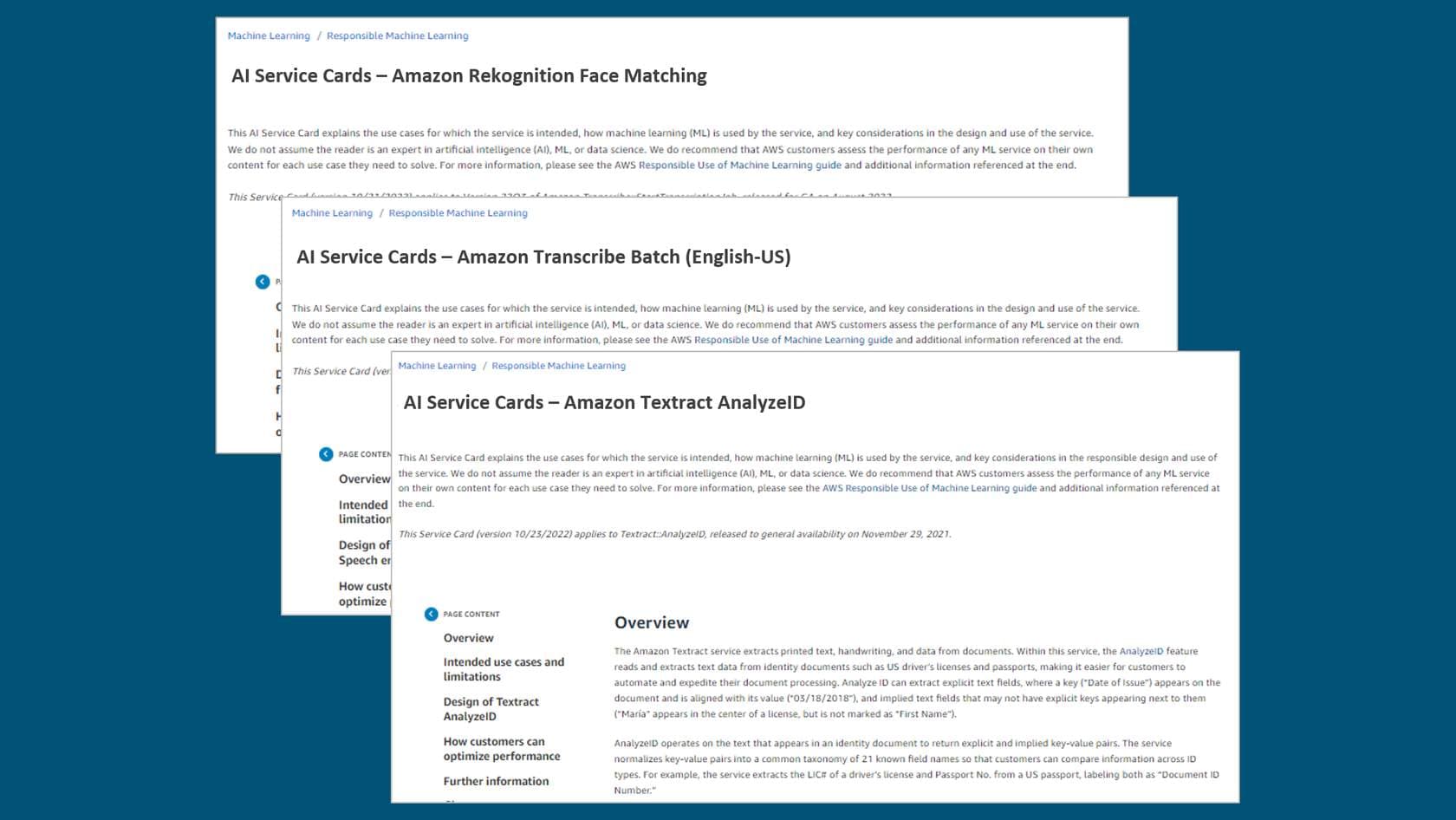
Each AI Service Card contains four sections that cover the following:
- Basic concepts to help customers better understand the service or service features
- Intended use cases and limitations
- Responsible AI design considerations
- Guidance on deployment and performance optimization
The content of the AI Service Cards addresses a broad audience of customers, technologists, researchers, and other stakeholders. This content helps these audiences better understand key considerations in the responsible design and use of an AI service.
In the next lesson, you will learn about responsible considerations for selecting a model.